So the team just bought HubSpot. Now what?
This scenario plays out constantly. A company signs the contract, gets the login credentials, and then... stares at the dashboard. There's a lot of blue. A lot of buttons. And zero clarity on what to actually do first.
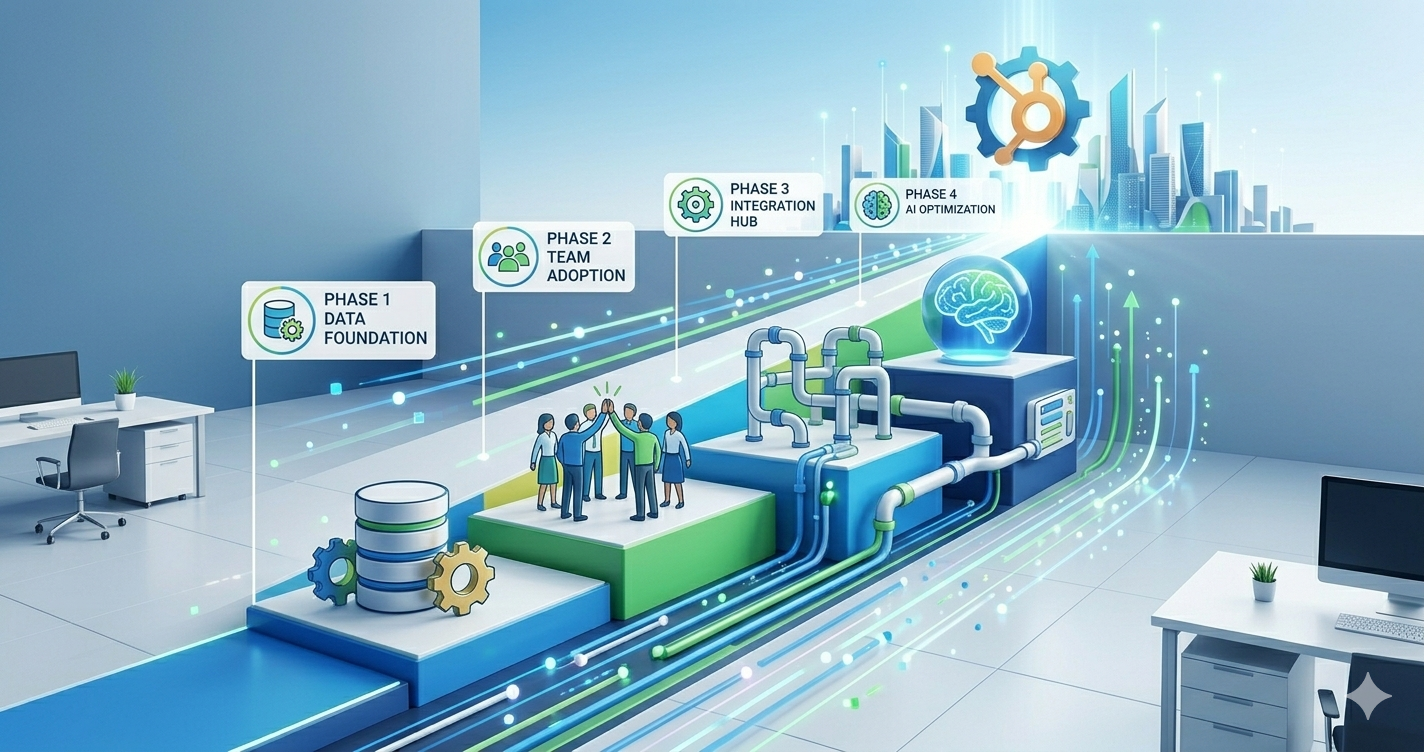
After onboarding enough teams, it's clear that the first two months make or break whether HubSpot becomes a growth engine or just another expensive subscription. Here's the roadmap every client should have on day one.
Days 1–14: Stop the chaos before it starts
.png?width=772&height=408&name=Gemini_Generated_Image_evngk3evngk3evng%20(1).png)
Week one is all about damage prevention. Most companies skip this and pay for it later.
Start with the properties. HubSpot gives a million fields by default, and 80% of them won't matter to the business. Strip it down. Figure out what actually needs to be known about a contact — industry, company size, how they found the company, what they're interested in. Lock those in as required fields. Everything else? Hide it or delete it.
This is also when existing data gets cleaned before importing. Is Your HubSpot Underperforming? 5 Common Problems & How to Fix Them covers what happens when this step gets skipped — the sales team starts ignoring the CRM entirely, and marketing emails land in spam folders. Not fun. Spend three days on hygiene now, save three months of headaches later.
Set up the deal pipeline during this window too. Not ten stages. Three to five. Something like "New Lead → Qualified → Proposal → Closed." Complexity can be added later, but the confusion of a 12-stage pipeline nobody understands can't be undone.
Days 15–30: Get the team to actually use it
.png?width=772&height=408&name=Gemini_Generated_Image_evngk3evngk3evng%20(2).png)
Here's the uncomfortable truth: the software is the easy part. The humans are what break.
Sales teams have been watched continue using personal spreadsheets for months after a HubSpot launch. Why? Because nobody showed them what's in it for them. They see it as surveillance, not a tool that makes them money.
So sit with the team. Don't send a Loom video, don't drop a Notion doc. Actually watch them work and show them, in real time, how HubSpot saves effort. Show them the mobile app so they can log calls while walking to their car. Show them how follow-up reminders mean they never forget a hot lead again. Show them the activity feed so they can see what marketing actually did before the lead landed in their lap.
Days 31–45: Connect the channels or stay blind
.png?width=772&height=408&name=Gemini_Generated_Image_evngk3evngk3evng%20(3).png)
By now contacts are coming in, deals are moving, and the team is grudgingly admitting this thing might be useful. Good. Now fix the leaks.
Map out every single place a lead could possibly find the company. Website forms. WhatsApp. Email. Paid ads. Events. That random Instagram DM. If it's not feeding into HubSpot automatically, visibility is lost and leads are probably disappearing.
This is where a lot of MENA companies specifically struggle — leads scattered across WhatsApp groups, property portals, and email threads, and management has no idea what's actually happening day to day. Exactly how this got solved for a UAE real estate agency is walked through in 2026 Reality: Why Smart MENA Companies Are Scaling with HubSpot + Breeze AI — worth a read if that chaos sounds familiar.
Get email connected. Get calendar synced. Automate the lead handoff from marketing to sales so nobody gets dropped. This isn't fancy; it's just plumbing. But without it, everything downstream breaks.
Days 46–60: Let the machine start thinking
.png?width=772&height=408&name=Gemini_Generated_Image_evngk3evngk3evng%20(4).png)
Okay, now the fun stuff.
By day 60, there should be enough data in the system for AI to actually mean something. This is when clients get told to turn on Breeze AI and start asking it real questions. Not "what's our revenue" — a dashboard can show that. Ask it "which of my deals are most likely to close this month and why?" or "what's blocking my negotiations stage?"
One logistics company in Riyadh started using AI-generated pipeline insights at this exact point. They cut manual reporting time by 70% and bumped conversions by 28% in six weeks. Exactly how they did it is broken down in Turn Your HubSpot Data Into Decisions with AI — the key was they didn't try to use every AI feature at once. They started with three things and built from there.
Set up one predictive workflow. Maybe AI qualifies leads before they hit the sales queue. Maybe it drafts follow-up emails the team just tweaks and sends. Pick one. Get it working. Then add another.
The real goal by day 60
The company shouldn't be "using HubSpot" by day 60. It should be running the business through it without thinking twice. The CRM should feel invisible — just how work happens.
If it still feels like a chore, something's wrong. Usually it's too many fields, too many stages, or too much complexity added too fast. Strip it back. The best HubSpot setups are almost embarrassingly simple on the surface. The magic is in the consistency, not the sophistication.
Ready to get this right from day one?
Most underperforming portals are the result of a rushed or incomplete setup in the first few weeks. It's not too late to get it right — but it's a lot easier if a mess doesn't need untangling later.
Book a 30-minute call and the team will walk through the specific setup, industry, and workflow. No generic advice, no jargon, just a practical plan for the first 60 days and beyond.